How to Install IPTV Smarters Player on Amazon Firestick
Even though IPTV Smarters is available on Google Play Store and Apple App Store for Android and iOS devices, Amazon Store does not host it. Therefore, to install it on your Firestick, you will need to sideload it.
Before we begin, make sure that "Apps from Unknown Sources" is enabled. Follow these steps carefully.
Tip: you can also open aftv.news/811964 in any browser — it goes to the same download.
Step 1: Enable Apps from Unknown Sources
-
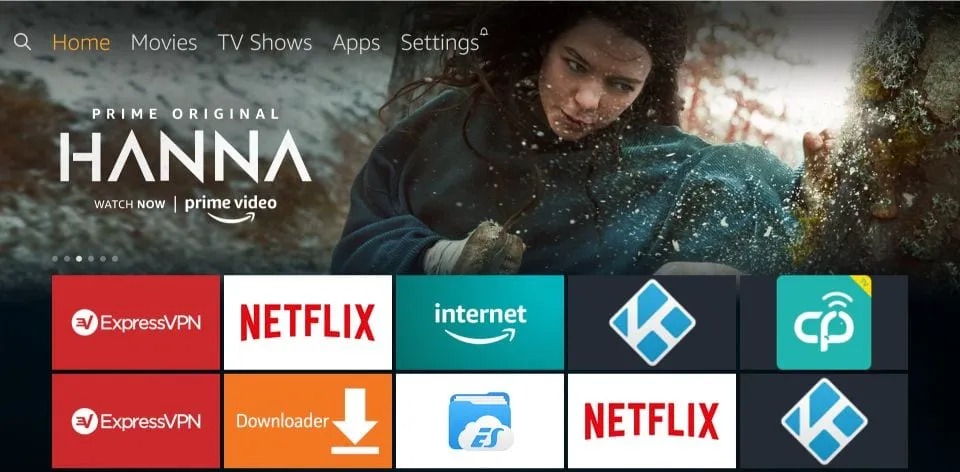
On your Firestick home screen, find the top menu bar.
Navigate to the far-left menu options and locate the Settings entry.
-
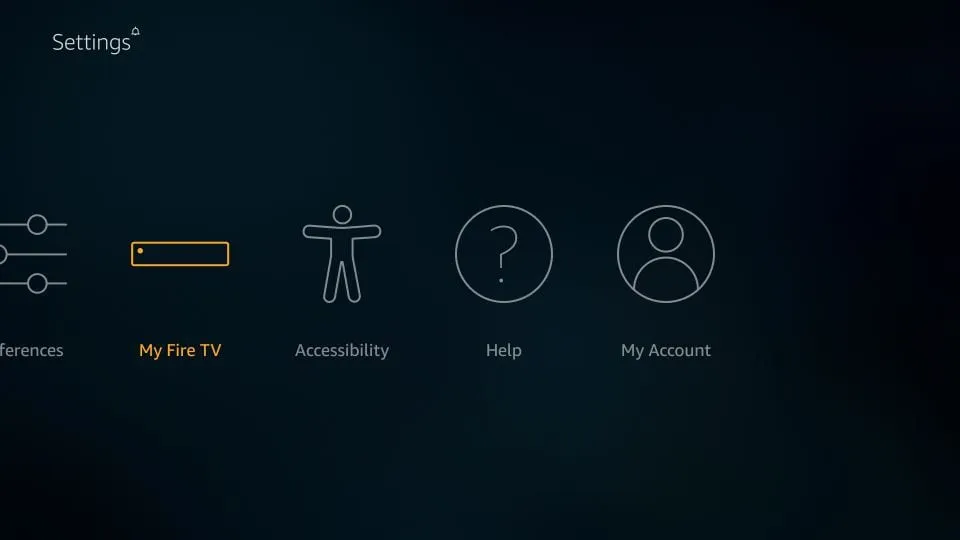
In Settings, choose "My Fire TV".
Scroll to find the My Fire TV option and select it using the remote's OK button.
-
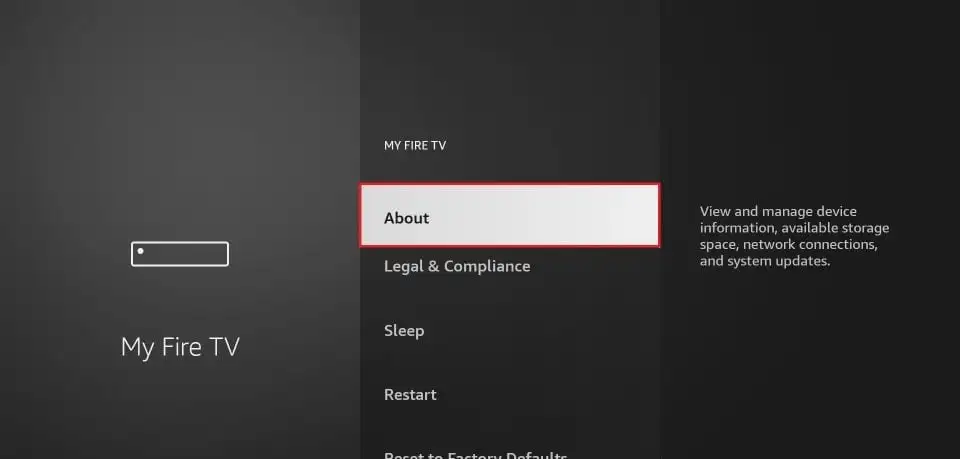
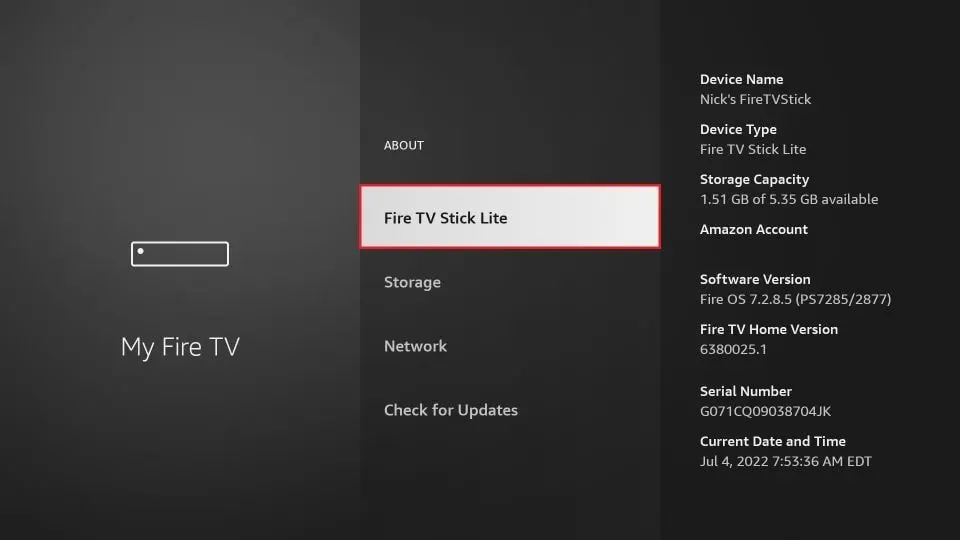
Click "About" if Developer Options are hidden.
On newer Firestick models, Developer Options are hidden by default. Open the About screen first.
-
Click on your Fire TV Stick 7 times to unlock Developer Options.
Use the remote's OK/Play button rapidly 7 times — a "You are now a developer" message appears.
-
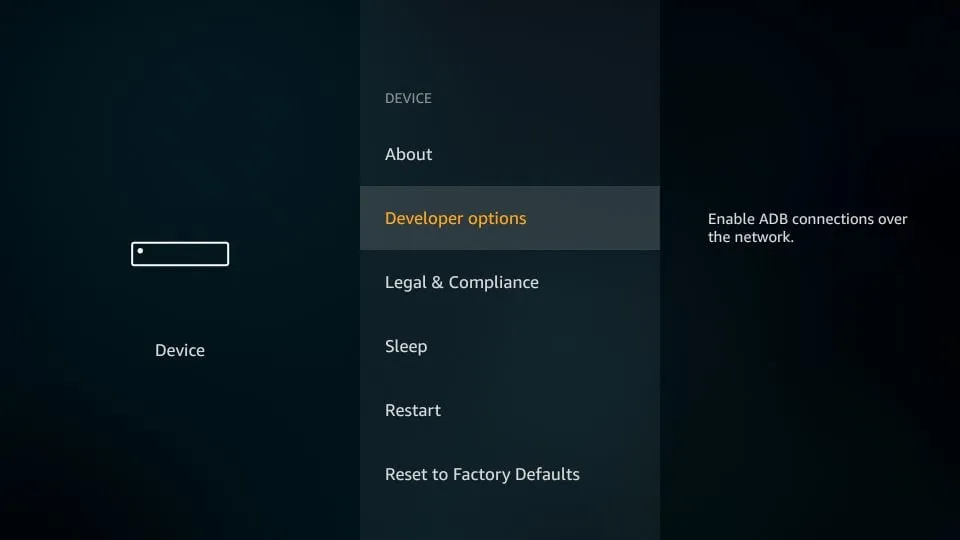
Once Developer Options are enabled, select it from the menu.
It now appears inside My Fire TV, just below the About option.
-
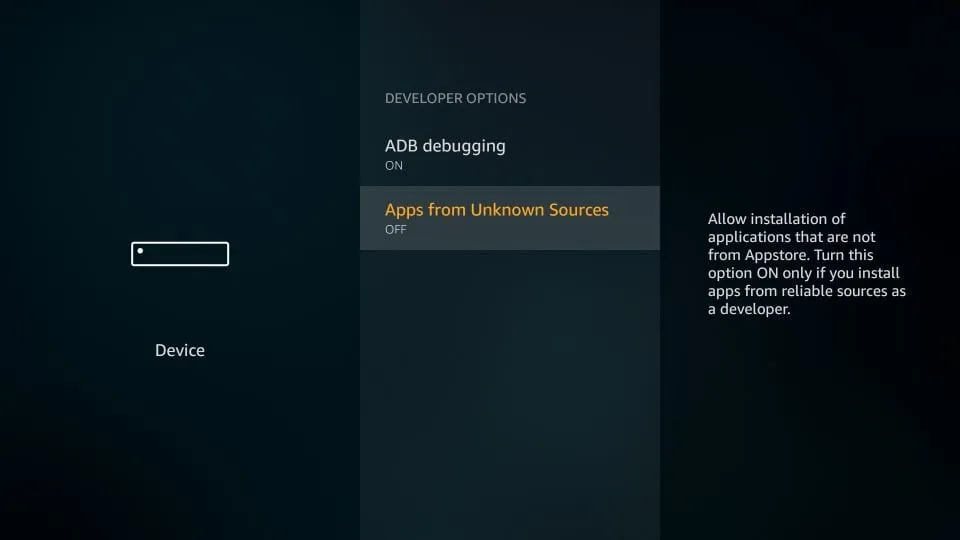
Turn ON "Apps from Unknown Sources".
Confirm by selecting Turn On when the warning message appears.
-
When you see a warning message, click Turn On.
This is Amazon's standard disclaimer — it's safe when installing trusted apps like IPTV Smarters.
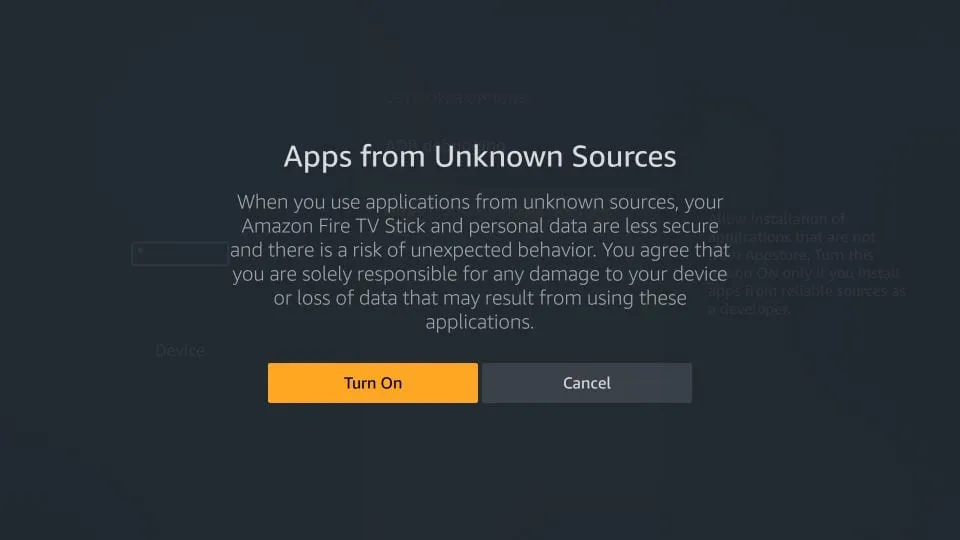
Now your Firestick is ready to install third-party apps like IPTV Smarters.
Step 2: Install Downloader App
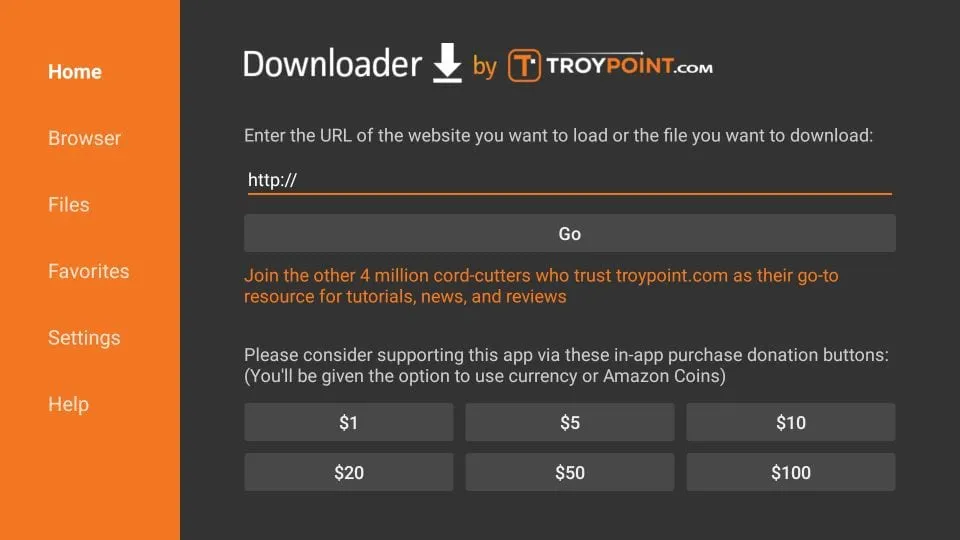
This app allows you to download IPTV Smarters since browsers are not supported for downloads.
- Highlight the search icon and type "Downloader".
- Select and open the Downloader app.
- Enter one of the following URLs:
- 811964 (Short code — easiest)
- https://aftv.news/811964 (Short URL)
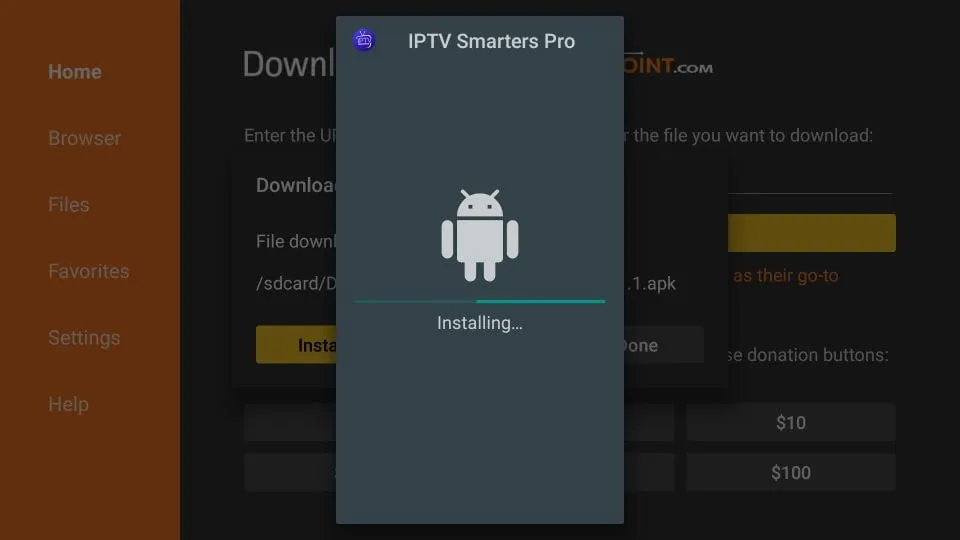
Click Go and wait for the app to download and install.
Step 3: IPTV Smarters Setup
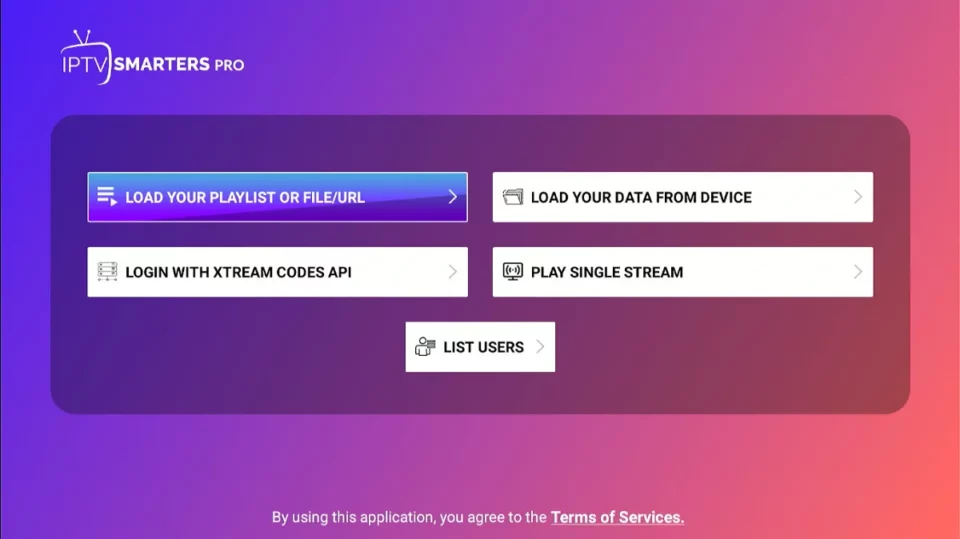
We recommend setting up IPTV Smarters via Xtream Codes API for better performance and automatic EPG loading.
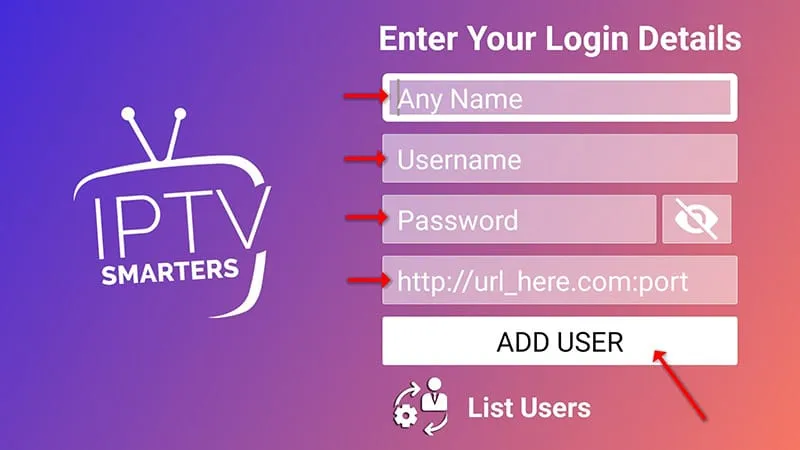
- Open IPTV Smarters and click "Login with Xtream Codes API".
- Enter your login details (Username, Password, Server URL).
- Select Live TV to start watching channels.
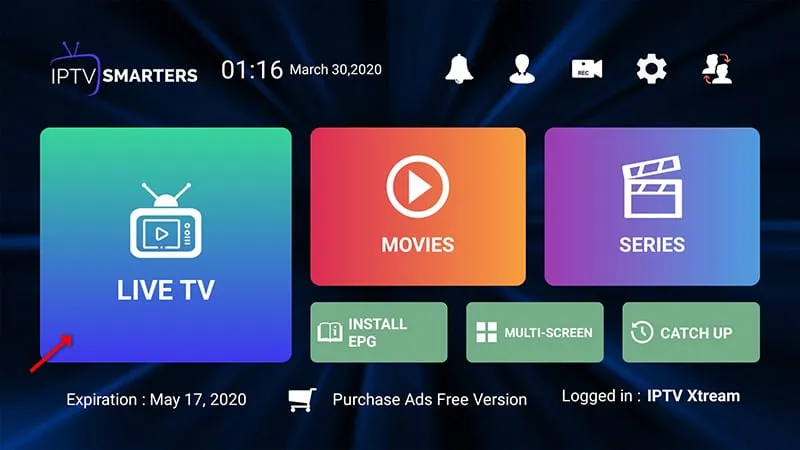
To add EPG, simply click on Install EPG — no need to add URLs manually.
That's it! You have successfully installed and set up IPTV Smarters Pro on Firestick. Enjoy watching your favorite channels with 8kIPTV4U.
If you face any issue, contact us — we're always online to help.
IPTV Smarters Downloader Code for Firestick
The fastest way to sideload IPTV Smarters Pro on Firestick is not by typing a long URL — it's by using a Downloader shortcode. Shortcodes are 6-digit numbers hosted by app developers that redirect straight to the APK file, so instead of typing https://aftv.news/811964 character by character with your Fire TV remote, you just type 811964 and hit Go.
Downloader shortcodes work exactly like the full URL — Downloader looks them up in its built-in code directory and opens the same download page. They exist because typing with a remote is slow and error-prone, and one wrong character means a failed download.
Our recommended code, 811964, resolves to aftv.news/811964, which points straight to the official IPTV Smarters Pro APK download. You can also type aftv.news/811964 into any browser if you prefer.
Quick Shortcut: 3 Steps for Experienced Downloader Users
If you already know your way around the Downloader app, skip the long tutorial and just do this:
- Open Downloader and select the URL/address bar on the home screen.
- Type 811964 and click Go.
- Wait for the APK download to finish, then click Install when prompted — done in under a minute.
That's all there is to it. If Downloader is not installed yet, follow Step 2 above first.
Troubleshooting IPTV Smarters Firestick Installation
Running into problems? These are the four most common errors users hit when installing IPTV Smarters on Firestick — and exactly how to fix each one.
-
Problem: "Parse Error" or "There was a problem parsing the package".
This means the APK file is corrupted or incompatible with your device. Fixes:
- Re-download the APK using the Downloader code 811964 — the previous download likely failed midway.
- Clear Downloader's cache: Settings → Applications → Manage Installed Applications → Downloader → Clear Cache.
- Check your Firestick OS version — very old Fire OS builds can't run current APKs. Update your Firestick software.
-
Problem: "Apps from Unknown Sources" option is missing.
On newer Firestick models this setting is hidden by default. Fixes:
- Go to Settings → My Fire TV → About and click your device name 7 times to unlock Developer Options first.
- If still missing, go to Settings → My Fire TV → Developer Options and toggle "Apps from Unknown Sources" to ON.
-
Problem: Downloader code not working.
If entering 811964 shows "Code not found":
- Double-check you typed the digits correctly — one wrong digit breaks it.
- Check your internet connection; Downloader needs it to resolve the code.
- As a fallback, enter the full URL manually: https://aftv.news/811964.
-
Problem: App installs but fails to load / opens to a blank screen.
Fixes:
- Force stop the app and reopen it: Settings → Applications → Manage Installed Applications → IPTV Smarters → Force Stop.
- Clear app cache and data, then re-enter your Xtream Codes credentials.
- Restart your Firestick (hold Select + Play/Pause for 5 seconds) to reset memory.
- Verify your IPTV subscription is active — if the server is down, the app will show a blank or error screen.
Still stuck? Contact 8kIPTV4U support — our team is online and can walk you through the fix in minutes.